Location Share
- 3.8
- Rating
- 10.00M
- Installs
- Free
- Price

 Analysis by App-foxy
Location sharing sounds simple until you are standing outside a busy station, trying to explain which exit you used, or waiting for someone whose arrival time keeps changing. I found that Location Share is most useful in those ordinary moments when a pin says more than a long message. It is a free Android app from P & L Studio, placed in the Maps & Navigation category, and its main appeal is keeping the act of sharing a place direct rather than turning it into a full navigation project.
My experience with it is best described as practical rather than flashy. I would not choose it as my only navigation tool for an unfamiliar city, but I can see myself using it when coordinating with family, meeting friends, or telling someone where I am without typing an address. The app has reached over ten million installs and holds an average rating of 3.8 from around fifteen thousand ratings, which suggests a useful but not universally smooth experience. That feels fair: the idea is easy to understand, while the quality of the experience depends heavily on the phone’s connection and on how carefully the recipient follows the shared location.
Where a live connection makes the biggest difference
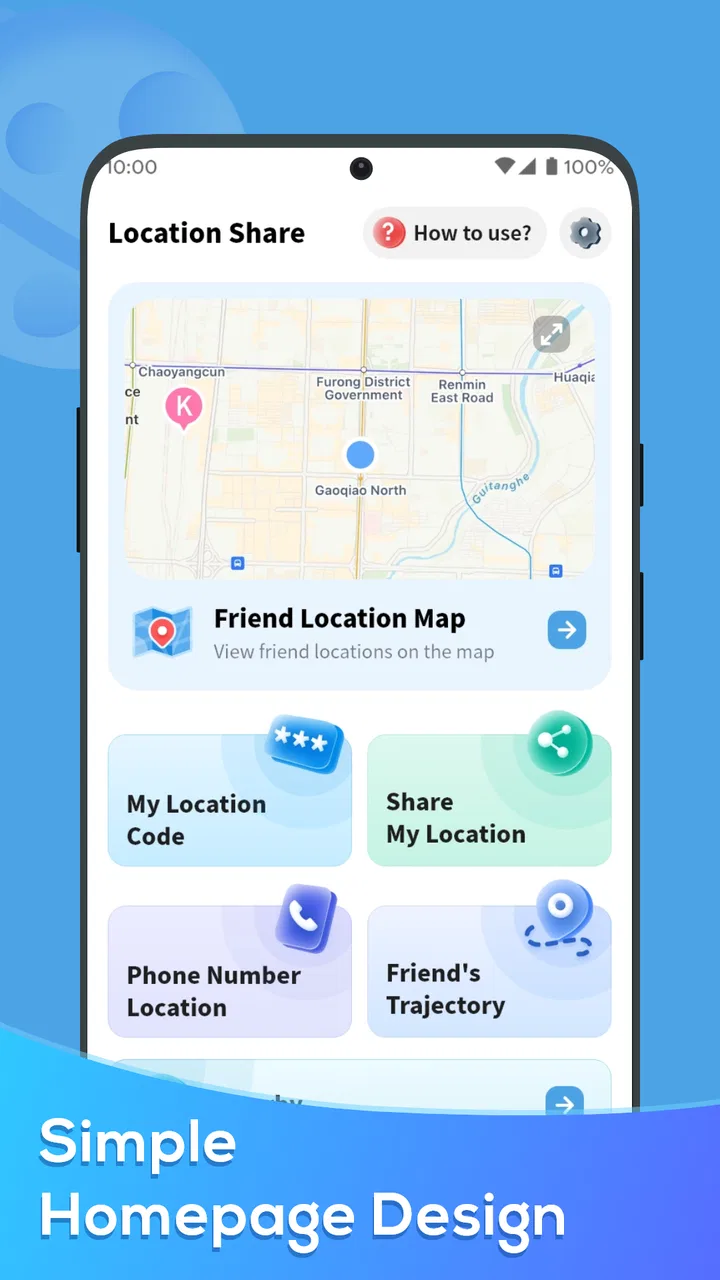
The first thing to understand is that this is a communication tool built around location, not a replacement for every map app on your phone. When the network is behaving, the workflow feels natural: open the app, prepare your location share, and send the result through the communication method you normally use. The value comes from reducing ambiguity. Instead of saying “I am near the entrance,” you can give the other person a specific point to work from.
You May Also Like

 Blood Strike: 2.5 Anniversary
Blood Strike’s Loadouts Turn Every Drop Into a Tactical Gamble
A close look at Blood Strike’s custom loadouts: how fast access to signature weapons reshapes its battle royale rhythm, rewards preparation, and narrows the gap between fights.

 Pandora - Music & Podcasts
Pandora’s Music Is Easy to Start, but Harder to Recover
Pandora’s strength is its low-effort path from a seed to a station. Its weak spot is how much confidence it asks you to place in connection, setup, and quiet recovery.

 8 Ball Pool
 Is Built on Rivalries, Rematches, and Routine
A close look at the rivalries, rematches, shared routines, and unanswered safety questions that turn a quick pool match into a persistent mobile community.

 Samsung Music
’s Quiet Strength Is Playing What You Already Own
Its reach comes less from spectacle than from dependable access to a personal library. That simplicity is both the app’s strongest retention engine and its ceiling.

 AccuWeather: Weather Radar
AccuWeather Review: A Quick, Clear Forecast for Everyday Decisions
For everyday plans, the best forecast is the one you can understand quickly. AccuWeather makes rain timing, radar, and local conditions easy to act on, with a few trade-offs.

 Hill Climb Racing
Why Hill Climb Racing Still Turns Crashes Into One More Run
A tiny car, a bumpy hill and one more upgrade: Hill Climb Racing keeps resurfacing because its simple chaos makes every near-miss feel personal.
More From Our News Desk



That advantage becomes obvious in places where addresses are technically correct but practically unhelpful. A large shopping center may have several doors, a park may cover several streets, and a hospital campus may contain multiple buildings. A shared position can help the other person begin from the right area, while a conventional map remains useful for the final route. I like this division of labor: Location Share handles the “where exactly are you?” question, and a navigation app handles the “how do I get there?” question.
Connectivity is central to that exchange. If the phone cannot obtain a current position or cannot communicate with the service being used to share it, the experience becomes less dependable. That is not a minor technical footnote; it changes when I would trust the app. In a strong signal area, I would use it for a meeting that is happening now. In a basement, rural road, crowded venue, or building with weak reception, I would send a written landmark as a backup rather than assume the pin tells the whole story.
A realistic example is meeting a friend after work. I might leave through a different station exit because one side is less crowded. Rather than describing the change in several messages, I can share my position and add a short note such as “near the taxi line.” The location gives the broad answer, while the note handles the human detail that a map cannot know. If my friend’s connection is poor, though, the message may arrive late or the map may take time to display, so I would not treat sharing as proof that the person has seen it.
Why the recipient still matters
Location sharing is not a one-sided experience. The sender needs a usable position, but the recipient needs a way to open and interpret it. That makes the app especially convenient when both people are comfortable with map links and mobile messaging. It is less ideal when the recipient is not confident with map interfaces or is using an older phone with limited connectivity.
I also recommend sending context alongside the location. A pin can land on the correct street but still leave uncertainty about the entrance, floor, platform, or side of a building. The most reliable habit is to combine the location with one short visual clue. This is a small but important trade-off: the app reduces the amount of explanation required, but it does not eliminate the need for explanation in complicated places.
Using it while moving around
On a phone, the app fits situations where I need to share quickly rather than plan carefully. That includes telling a delivery visitor which side of a property I am on, helping a family member find me at an outdoor event, or sending a meeting point while walking through an unfamiliar neighborhood. The mobile format is the strength here because I can act at the moment the problem occurs.
At the same time, I would avoid composing a location share while walking across a road, cycling, or driving. The app may be simple, but location coordination still requires attention. I prefer to stop, check the displayed position, and then send it. That extra pause is worthwhile because an inaccurate or outdated point can create more confusion than a carefully written message.
Battery and signal conditions also shape the experience. A phone that is already struggling with low power, restricted background activity, or weak reception is not a dependable foundation for urgent coordination. I would prepare a fallback before entering a place where service may disappear: agree on a landmark, choose a meeting time, or tell the other person which entrance to use. This is not a criticism of one particular screen; it is the practical limit of any connected location workflow.
What happens when sharing fails or the position looks wrong
The most useful way to test a location app is not only to see how quickly it works, but to consider what happens when the first attempt fails. A location can be imprecise near tall buildings, indoors, under dense cover, or when the phone has not recently established its position. If the marker appears somewhere nearby rather than exactly where I am standing, I would not immediately resend it repeatedly. I would first move to a clearer spot, wait briefly, and verify the point before trying again.
That verification step is one of my strongest recommendations for using this app. The sender should look at the map and ask whether the point makes sense in relation to the surroundings. If I am inside a large building, a point on the building’s exterior may be the best practical result, but I should then add the floor or entrance in text. A map pin is an aid to coordination, not a guarantee of room-level precision.
If the recipient says the location will not open, I would switch to a simpler recovery path instead of continuing to depend on the same exchange. I might send the street name, a nearby business, or a screenshot through the usual messaging channel. If the person is already close, a phone call can be faster than troubleshooting. The app is valuable when it removes friction, but it should not become a new obstacle during an urgent meeting.
Another useful habit is to distinguish between a technical failure and a misunderstanding. Sometimes the location reaches the recipient correctly, but they walk to the wrong side of a complex site. In that case, sharing again may not help. I would explain the final approach: “come from the north entrance” or “I am outside the café, not inside the mall.” This is where ordinary language complements the app better than repeated pins do.
When another map option is better
For turn-by-turn driving, transit planning, saved places, and detailed route choices, I would use a dedicated navigation service. Those tools are designed to answer movement questions over a longer period. Location Share is more focused on the handoff between people. Its role is strongest when the question is “where should I look for you?” rather than “which road should I take for the next hour?”
It is also not my first choice for long-running group coordination unless everyone understands how the sharing process works and agrees on when to update one another. A group chat with clear instructions may be easier for a family trip, while a full navigation platform may be better for a planned journey. I see this app as a lightweight layer that fills the gap between a text message and a complete mapping system.
Keeping mobile data and attention under control
Because the app’s purpose is tied to connected location exchange, I would use it deliberately rather than leave it open without a reason. For a single meeting point, there is little benefit in repeatedly sending the same location when a short clarification would do. Sending one carefully checked position and one useful note is usually better than producing a stream of updates that may confuse the recipient.
I also recommend checking the phone’s normal system controls before relying on the app during a trip. Location access, mobile data availability, and battery-saving behavior can all affect connected apps, although the exact controls depend on the device. If I know I will be underground or in a low-signal area, I plan the meeting around a fixed landmark instead of assuming a last-minute share will work.
There is a privacy side to this kind of tool as well. I would share only with the person who needs the information and avoid treating a location as harmless just because it is easy to send. A location can reveal where I live, work, or spend time. The sensible workflow is to share for a clear purpose, confirm that the recipient is the intended person, and avoid forwarding location messages casually.
The app’s age rating is Everyone, which makes its basic concept approachable for a broad audience. Even so, younger users should still learn the difference between sharing a temporary meeting position and revealing a regular personal location. The simple interface does not remove the need for good judgment. In my view, that is one of the most important lessons to attach to any location-sharing habit.
What the current release means for practical use
The app is currently at version 1.4.9 and supports Android 6.0 or later. That makes it relevant to people who keep older Android phones in service, including a spare device used by a family member. I would still test it on the actual phone before depending on it for an important meeting, because age, manufacturer settings, and network conditions can make the same app feel different from one device to another.
It is free to use, which lowers the barrier to trying it for occasional coordination. I would not install it solely because it is free, though. The better question is whether I regularly need a straightforward way to pass a location to another person. If I already solve that need comfortably through a map app or messaging service, adding another tool may not improve anything.
The rating gives me a balanced expectation rather than a promise of perfection. Around fifteen thousand ratings and more than three hundred written reviews show that many people have tried it, but the average of 3.8 suggests that convenience may be offset by inconsistent experiences for some users. I would interpret that as a reason to test the complete workflow—finding the position, sharing it, and opening it on another phone—before using it in a time-sensitive situation.
My verdict on connectivity, mobility, and everyday usefulness
After looking at how it behaves in the situations that matter, I see Location Share as a focused utility rather than a complete navigation replacement. Its best moment is a short, practical exchange: I need someone to find me, I need to show where a place is, or I need to reduce the back-and-forth around a meeting point. The app earns its place when a pin plus a sentence is faster than explaining an address.
Its main weakness is also clear. The experience depends on a chain of conditions involving the phone’s position, the network, the sender, and the recipient. When any part of that chain is unreliable, the app cannot remove every uncertainty. I would therefore pair it with a landmark, a written direction, or a phone call whenever the location is important. The smartest way to use it is as a precise starting point, not as your only plan.
I would recommend it to people who often meet others in large public places, families coordinating arrivals, and anyone who wants a simple location-sharing option without paying for it. I would be more cautious for users seeking advanced route planning, dependable low-connectivity navigation, or a complete system for managing a group throughout a long trip. In those cases, a conventional navigation app or an established messaging workflow may be the better fit.
Overall, P & L Studio has made a useful Maps & Navigation app for a narrow but common problem. Its free availability, Everyone rating, and broad Android compatibility make experimentation easy, while its 10M-plus install base shows that the basic idea has practical reach. I would install it for quick coordination, test it before an important outing, and keep a simple human backup ready. Used with that realistic mindset, it can make everyday meetings noticeably less frustrating.
FAQs for Location Share
01What is Location Share and how does it work?
Location Share is a mobile application that allows users to share their real-time location with family and friends. It uses GPS technology to provide accurate location data. Users can choose who to share their location with and for how long, ensuring privacy and control over their personal information.
02Is Location Share available for both Android and iOS devices?
Yes, Location Share is available on both Android and iOS platforms. Users can download the app from Google Play Store for Android devices and the Apple App Store for iOS devices. The app is designed to work seamlessly across different operating systems, offering a consistent user experience.
03How secure is my data on Location Share?
Location Share prioritizes user privacy and data security. The app uses encryption to protect location data while it’s being shared. Users have control over who can see their location and for what duration, ensuring that your information is only visible to those you trust.
04Can I use Location Share without an internet connection?
While Location Share requires an internet connection for real-time sharing, some features may work offline. For instance, the app can store your location history and update others once you’re back online. However, for live updates and notifications, an internet connection is necessary.
05Are there any subscription fees or in-app purchases with Location Share?
Location Share offers a basic version for free, allowing users to access core features. However, there may be premium plans available that provide additional features, such as enhanced privacy settings or unlimited sharing. Users can choose the plan that best fits their needs and budget.
Pros
- Real-time location updates.
- Easy to share with contacts.
- Low battery consumption.
- Intuitive user interface.
- Works offline with cached maps.
Cons
- Limited free version features.
- Requires internet for full functionality.
- Minimal customization options.
- Occasional GPS inaccuracies.
- Contact syncing can be slow.

Location Share
Gallery